Duosub — Dual Subtitles for YouTube
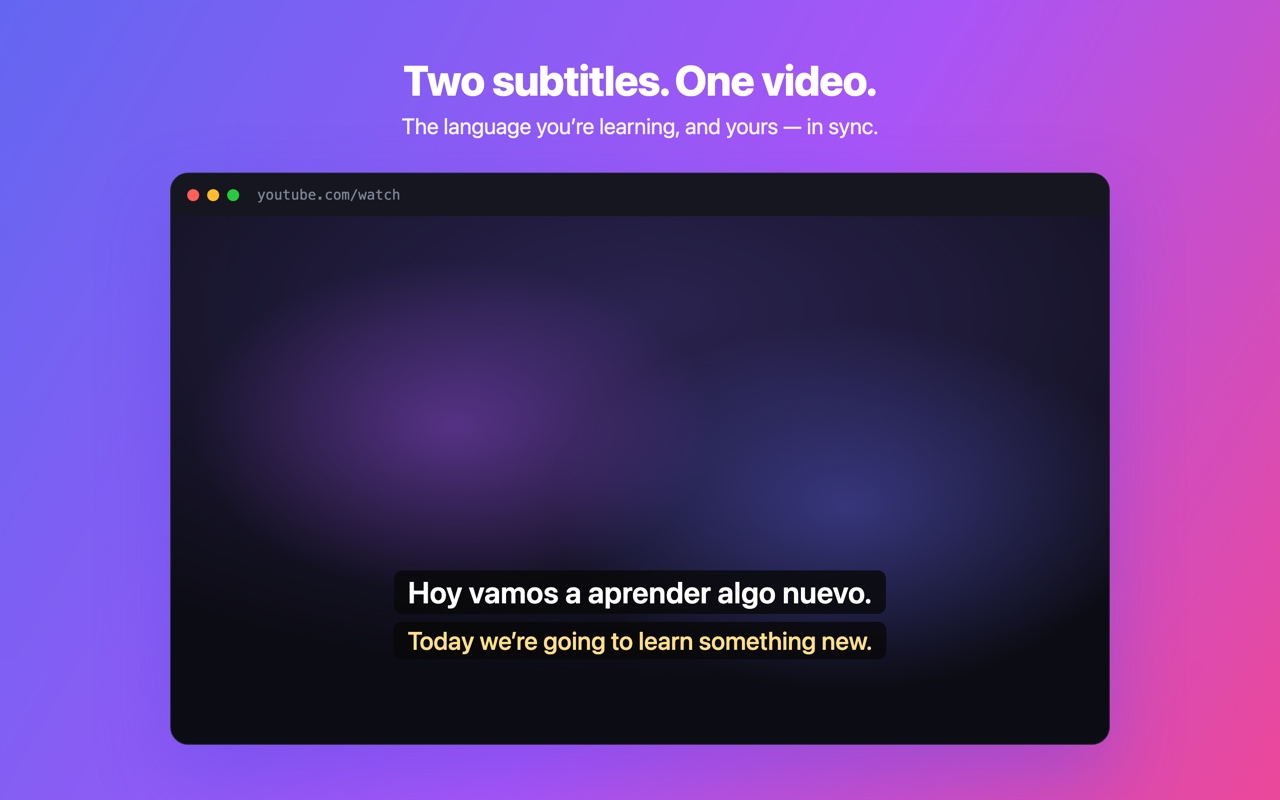
Two YouTube subtitle lines at once — the original and yours — with click-to-look-up words.
Overview
Turn every YouTube video into a language lesson. Duosub shows two subtitle lines at the same time — the original language you're learning on top, and your own language below — perfectly synced over the player.
When a word trips you up, just click it to look it up. No pausing to open a dictionary, no switching tabs, no losing your place.
Duosub reads the captions YouTube already provides and does everything in your browser — not affiliated with YouTube or Google.
Features
- Two synced subtitle lines with configurable order and text size
- Click any word — including individually clickable Chinese/Japanese characters — for an instant look-up
- Hover-to-pause: the video waits while you read a subtitle line
- 38 caption languages powered by YouTube's own caption translation
- Interface available in 13 languages
- Single storage permission — no account, no analytics, no servers
Screenshots